 Excel Link Rescue
Excel Break Links not working
You broke every link Excel listed, saved, reopened, and the workbook still says it contains external references. That normally means something is left somewhere the Break Link command does not reach, not that Excel is malfunctioning. The useful next step is to find out what remains before changing the file again.
Stop breaking links and find out what is left
Repeating the command does not help if what remains is not the kind of reference it acts on. Each pass is another irreversible edit to a workbook you have already changed, so the first thing to establish is what Excel is actually still seeing.
Break Link works on the workbook links Excel lists in the links pane. A reference that is not in that list is not something the command will clear.
Where a reference usually survives
These are the places worth checking first, in roughly the order they cause the problem.
- Defined names. A name whose Refers to points at another workbook. Hidden names are the common case, because the Name Manager does not show them.
- Chart series. A chart can take its values or its category labels from another workbook. Selecting the series shows the reference in the formula bar.
- Data validation and conditional formatting. Rules built from a range in another file.
- The workbook's own link entries. Excel keeps an entry for each linked workbook, and one can remain after the formulas that used it are gone.
Things that are not workbook links at all
Some of what looks like a leftover link is a different kind of thing, which is why breaking links never removes it.
- Hyperlinks are something you click to open a file or a page. They are managed separately and the workbook links pane does not list them.
- Data connections, Power Query queries and PivotTable sources pull data from outside the workbook, but they are not workbook links and are handled in their own places in Excel.
If one of those is what remains, the links pane is the wrong place to be looking, and no amount of breaking links will change it.
Check it in Excel first
Two searches cover most of it without any extra tooling.
- Press
Ctrl+F, choose Options, set Within to Workbook and Look in to Formulas, then search for[. An external reference in a formula carries the source workbook name in square brackets. - Open the Name Manager on the Formulas tab and read the Refers to column for names pointing at another file.
That finds worksheet formulas and visible names. It does not reach hidden names, chart series or rules, which is exactly why a workbook can keep reporting a link after you have searched every sheet. The longer version of this is in finding external links in Excel.
See what is actually in the file
Excel Link Rescue reads a closed .xlsx or .xlsm file and lists the external
workbook references it detects, grouped by the workbook they point at. Each source shows how many
references reach it and where they are, with the sheet and cell for formulas and the name for a defined
name, including hidden ones.
It reports what it finds rather than changing it. Some things it lists are shown so that you know they exist, and are not modified: DDE links, linked OLE objects, Power Query sources, PivotTable sources and data connections. Paths written inside VBA code belong to the macro, not to the workbook's links.
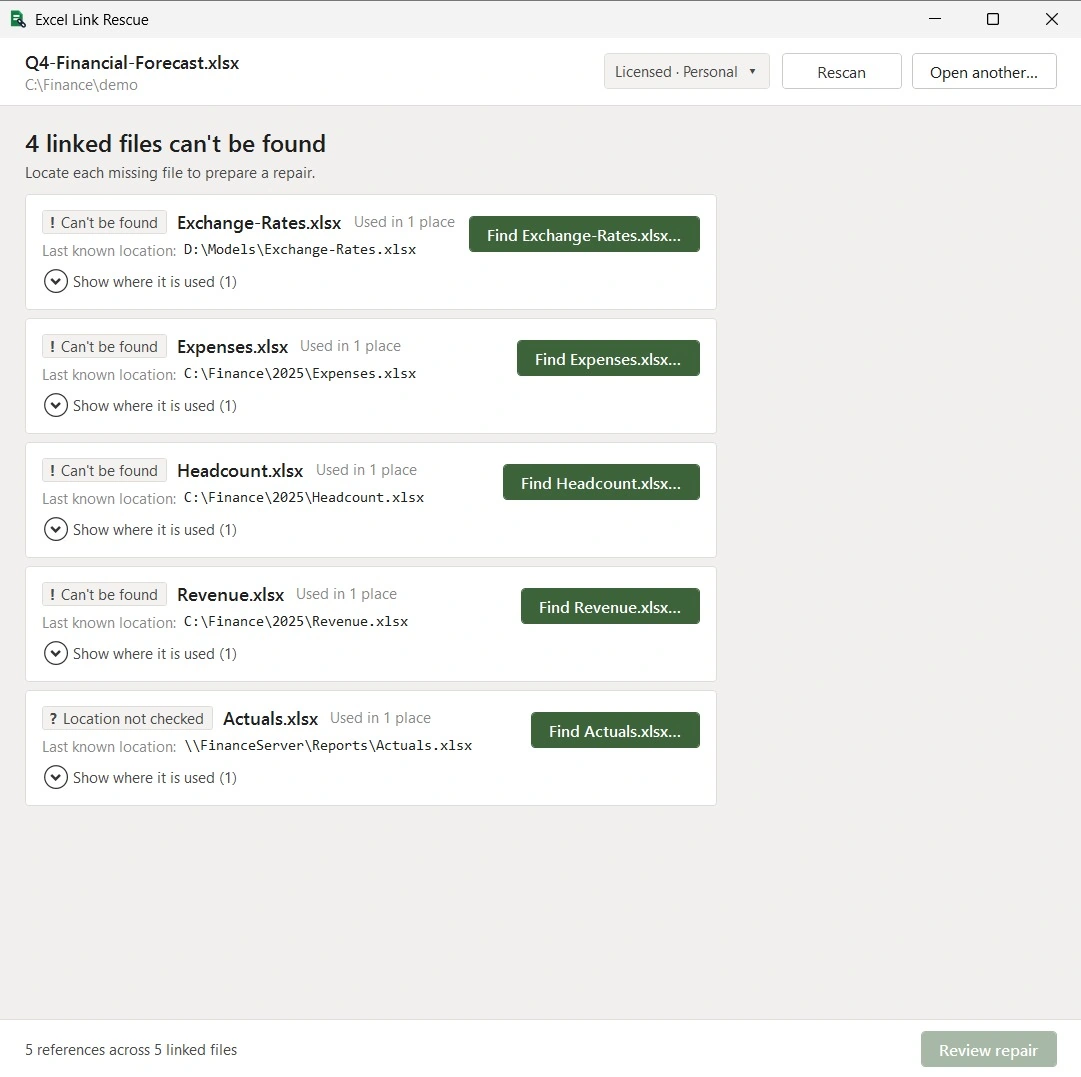
If what remains turns out to be a workbook reference of a supported kind, you can see exactly where it is used and, if the source should still be working, repoint it at the right file. Excel Link Rescue does not break links and does not convert formulas to values, so if removing the dependency is what you want, that stays Excel's own Break Link command, covered in breaking links in Excel.
Questions
Why does Excel still say there are links after I broke them all?
Something is left somewhere the command does not act on. Defined names are the most common, particularly hidden ones, followed by chart series and rules built from a range in another file.
Does Break Link remove hyperlinks?
No. A hyperlink is not a workbook link. It is managed separately and does not appear in the workbook links pane.
Will breaking links remove a Power Query or a data connection?
No. Those are not workbook links. They are handled in their own places in Excel and are unaffected by breaking a workbook link.
Can Excel Link Rescue break the remaining link for me?
No. It shows you which external workbook references it detects and where they are used, and it can repoint supported ones. Breaking a link is Excel's own command.
Does scanning change my workbook?
No. The file is opened read only and is not modified. Scanning and previewing are free.
Find what is still there
Excel still reporting an external workbook link? Scan the file free to see which external workbook references Excel Link Rescue can detect, and where each one is used, before you change anything else.
Download Free