 Excel Link Rescue
Fix broken Excel links without rebuilding your workbook
Excel Link Rescue scans .xlsx and .xlsm files, finds external workbook
references, lets you locate the replacement files, previews every planned change, and creates a
repaired copy without modifying the original.
Scan and preview for free. A licence is only needed to create the repaired copy.
- Windows 10 and 11
- .xlsx and .xlsm
- Original file never modified
How it works
Repair broken workbook links with confidence
Three steps, and nothing is written to disk until the last one. Every screenshot below is the real application.
Find
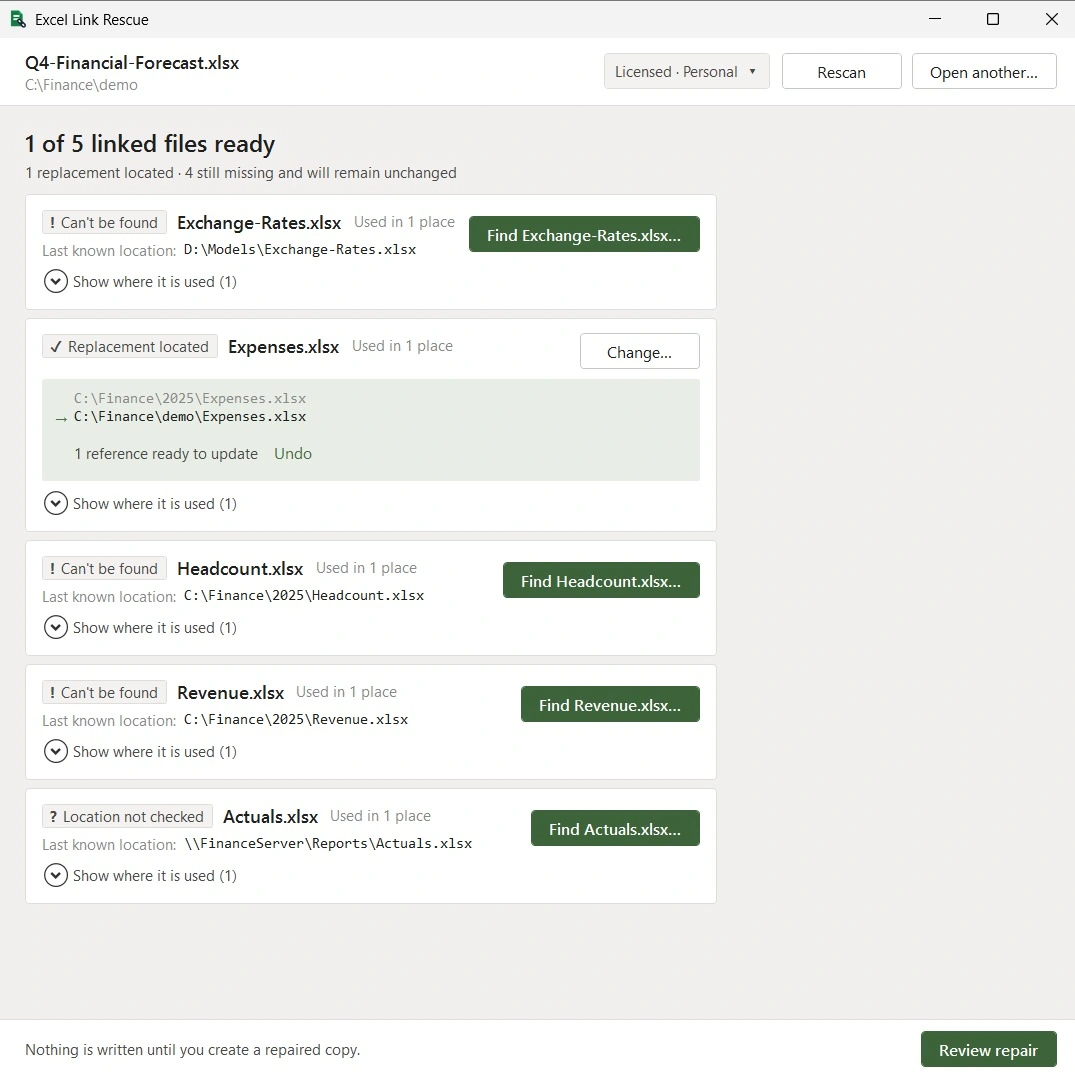
Scan the workbook and identify external workbook references: which files it points at, how many references reach each one, and which sources are missing.
Preview
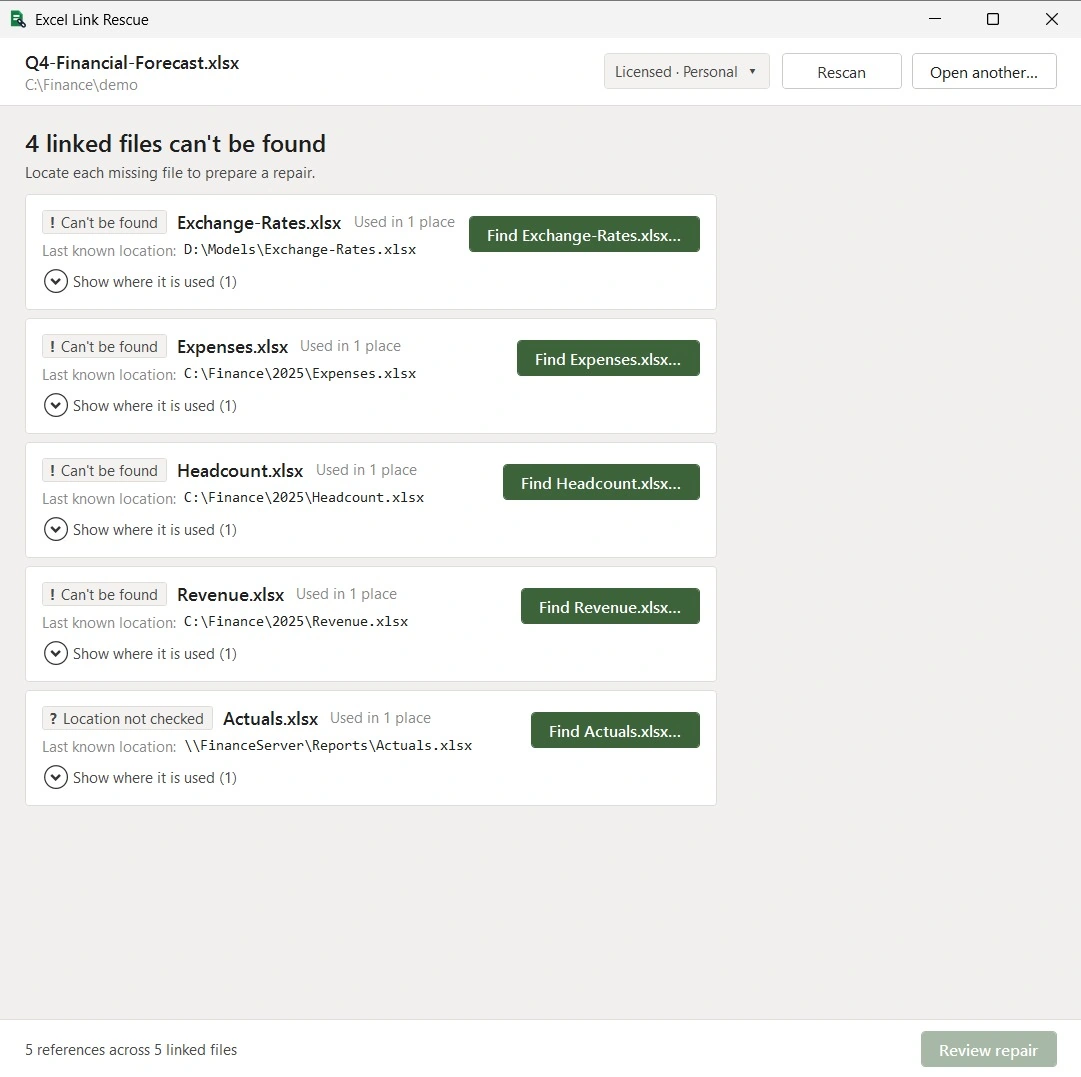
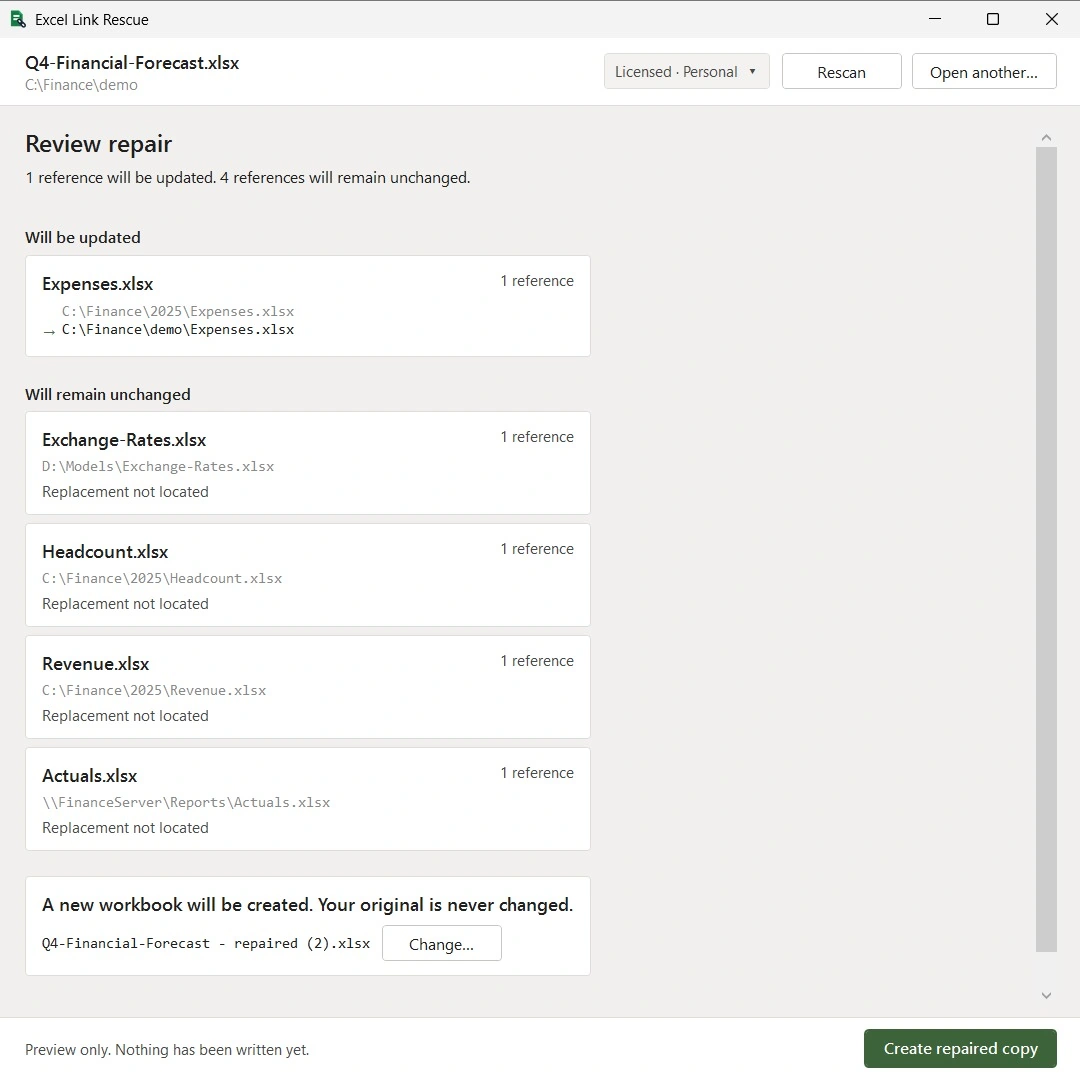
Locate replacement files and review exactly which references will change and which will stay as they are. Nothing has been written at this point, and you can still change your mind.
Repair
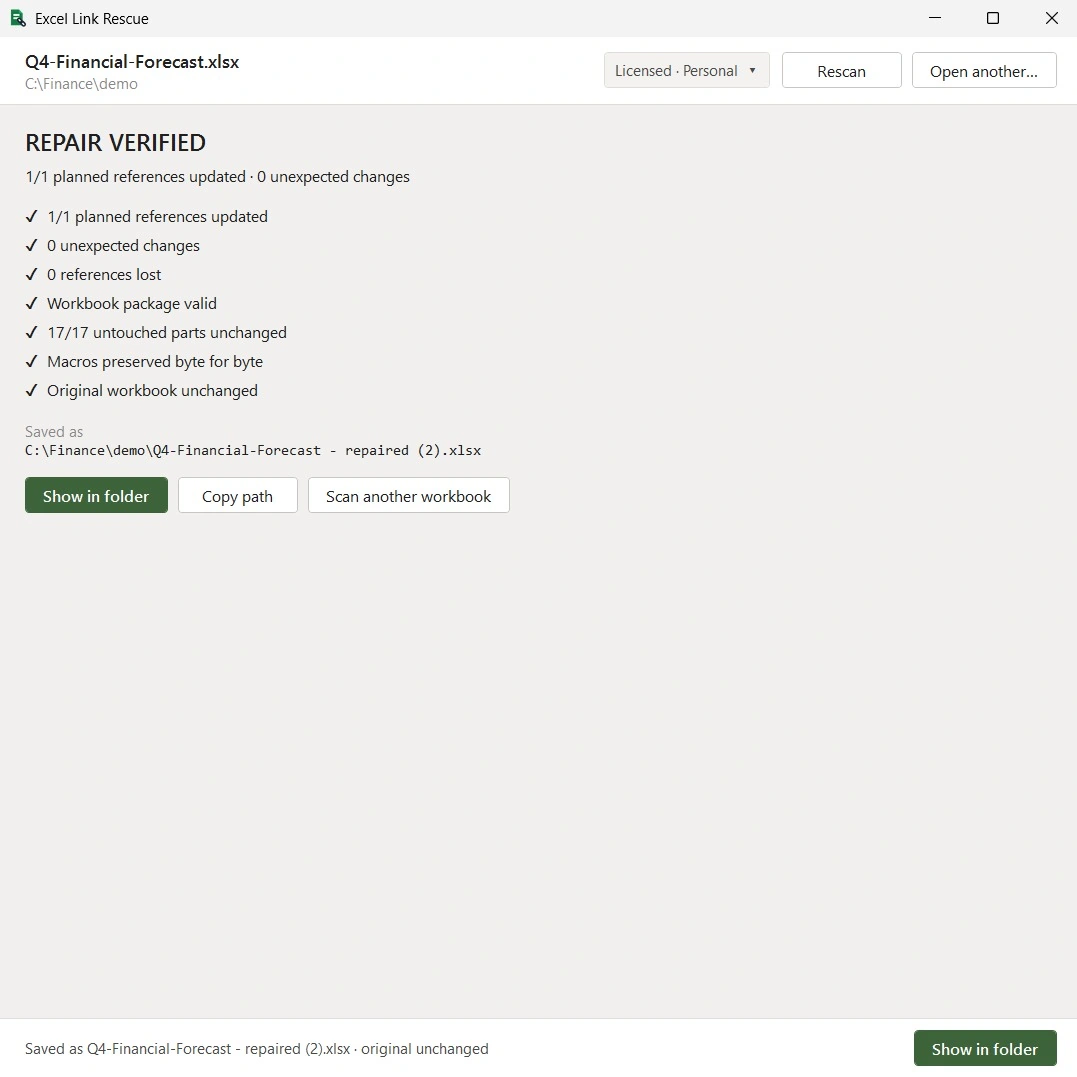
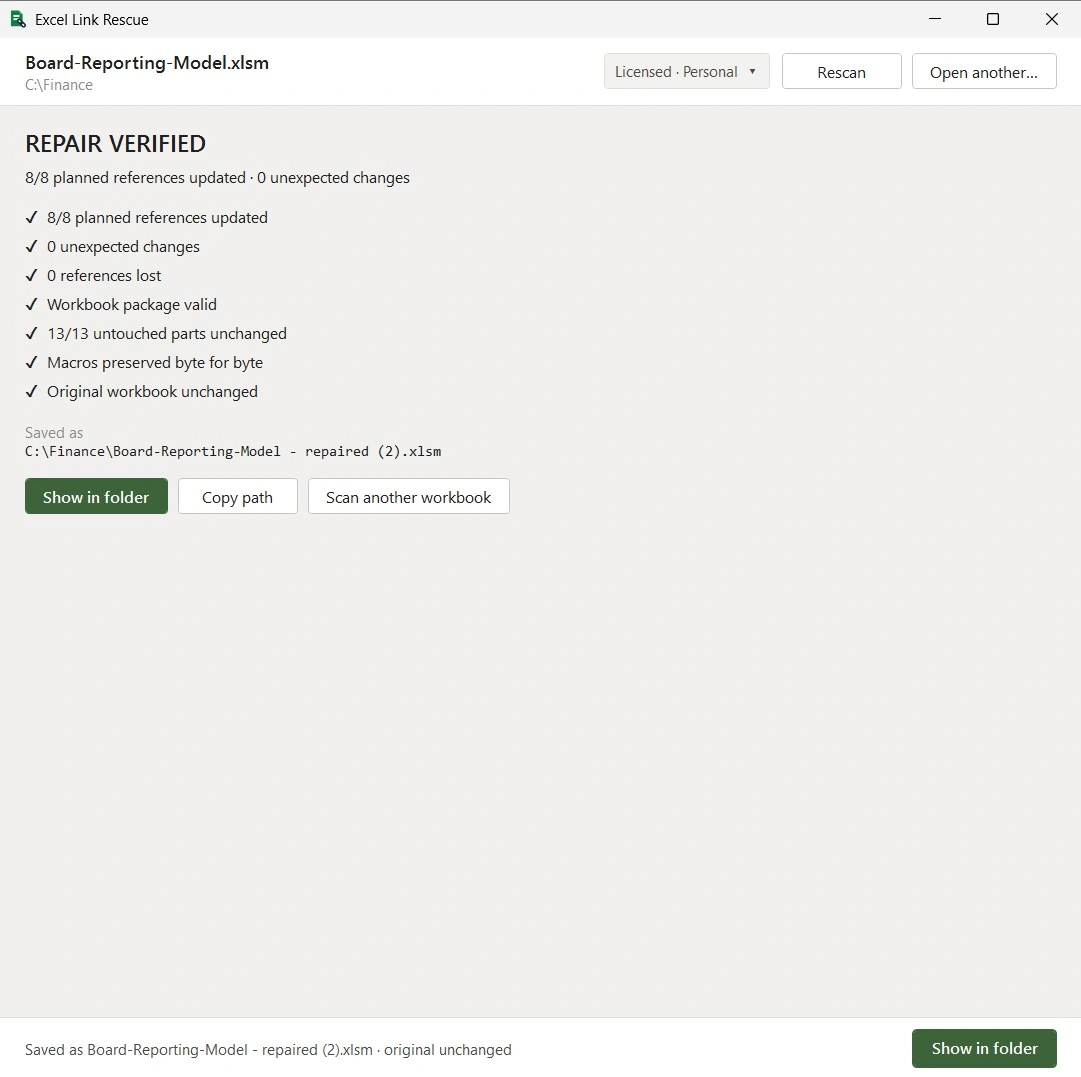
Create a repaired copy, then let Excel Link Rescue check its own work: that the planned references changed, that nothing else did, and that the original workbook is exactly as you left it.
Safety
Built for safe workbook repair
A workbook is usually someone's model, not a file they can afford to lose. Excel Link Rescue is built so that a repair is either provably correct or does not happen at all.
- Your original workbook is never modified Repairs are written to a new file. The original is opened read-only.
- Preview every change before it happens See each reference that will be updated, and each one that will not.
- Verified against the plan After writing, the repaired copy is checked for planned changes and for unexpected ones.
- Untouched parts stay untouched Only the parts of the file that must change are rewritten; the rest is copied byte for byte.
- Macros preserved byte for byte In .xlsm workbooks the VBA project is carried across unchanged and verified.
- If a repair cannot be proven safe, it is refused Excel Link Rescue reports what it found instead of guessing at a change.
Macro-enabled workbooks
.xlsm files keep their VBA project
Repairing a macro-enabled workbook is where link tools usually do damage. Excel Link Rescue rewrites only the link targets, then verifies that the VBA project came through byte for byte and that every untouched part of the package is identical to the original.
Pricing
One licence, bought once
Scanning, seeing where every link is used and previewing a repair are free, so you can check that Excel Link Rescue understands your workbook before you pay for anything.
Personal
- Unlimited scanning and repair preview
- Create verified repaired copies
- .xlsx and .xlsm workbooks
- Activate on up to 2 computers
- No subscription, no account required